
It has been a few years since those first tentative steps when I created a 360-tour of the new Occupational Therapy spaces at Glenside in 2020 (see the post First outing with a 360-degree panoramic camera). During 2024, we have had more requests to create virtual tours. These have included a tour of laboratory spaces in the SOAS, a virtual tour of the Adult and Child nursing wards at Glenside and a virtual tour of the Langdon Secure Mental Health Service.
The technology behind virtual tours has moved on at pace since the Insta 360 One X was introduced in 2018. 360 cameras have seen significant improvements, and it is even possible to shoot 360 photos with smart phones now.


Image resolution and quality is now much higher, providing more detailed and immersive experiences. Gone are the unsharp images of a few years ago and the improvements in image sensors have made it possible to shoot images in poorer lighting situations whilst still retaining a good amount of detail.
The resolution of a 360 camera is particularly important as the viewer only ever sees a portion of the full image whether that is a still image or video. 360 cameras use two lens and sensors which overlap to create a seamless image. In a VR headset, the viewer is looking at a portion of the total sphere image displaying a field of view (FOV) of between 90-120 degrees. So, if you have a full 4K 360 video, the viewer is only seeing a section of that image that is approximately 1K. The X2 and X3 cameras raised image resolution to 5.7K, and the new X4 raises that figure again to 8K. Still, cameras need to have a resolution of more than 12K to give anything close to a 4K viewing experience.
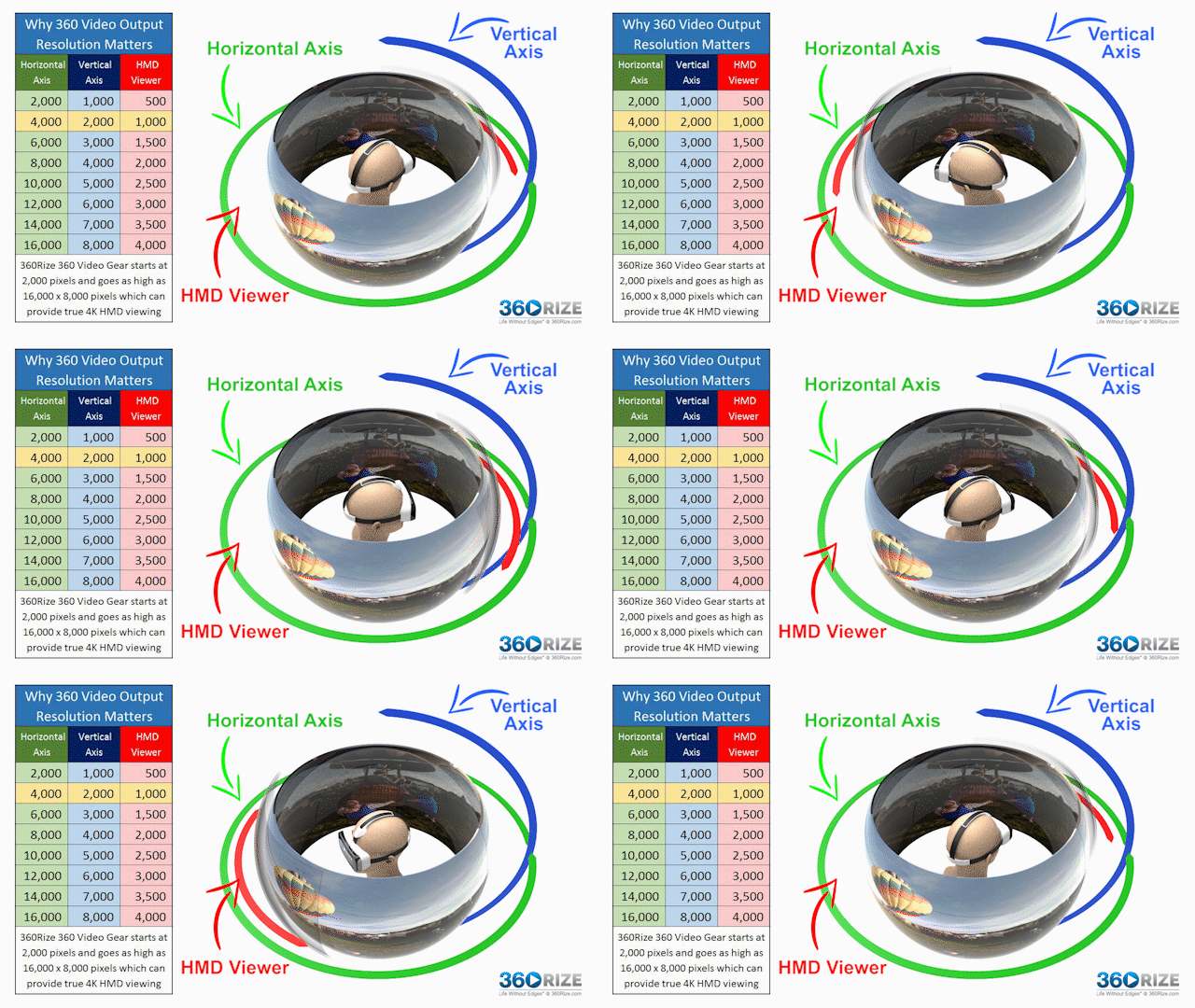
Still images can be viewed with differing FOV and aspect ratios depending on the device they are being displayed on, but in most cases, only a portion of the image is being seen at any one time. The original X1 and X2 cameras had a photo resolution of 18.4MP, whereas the newer X3 and X4 cameras now have a resolution of 72MP enabling us to create much more detailed images. Images can be shot in peg + RAW or Pureshot mode. The latter enhances the image’s dynamic range and reduces noise automatically using AI. If you choose JPg+RAW when shooting, you can still apply the Pureshot effect in Insta Studio or export an equirectangular 2:1 image from the app and edit it in Photoshop.
The 360 tours we made this year were created and compiled using the Insta Studio app and Xerte. For most images it has been a simple case of applying the Pureshot AI effect and exporting the final image as a 360 jpeg. Where faces needed to be obscured these were exported as equirectangular images and edited in Photoshop. The tours were then compiled using Xerte. The process of creating 360 tours in Xerte is straightforward but does require some careful planning. We have also been looking into Thinglink as an alternative method, but Xerte is proving to be most effective. Whilst Xerte is working well for creating and hosting 360 photos, it does not yet support 360 video content. For that, the only options are Panopto or YouTube.
Whereas 3D video is not as prevalent as it was some years ago, 360 media, on the other hand, is steadily on the rise partly down to the use of 360 tours being used in real estate. 360 media offers a much more immersive experience that traditional media cannot match. The education sector is making increased use of 360 content for virtual tours and field trips, and interactive learning. It is an area that we in the DLS are excited to explore and develop new and engaging teaching and learning resources with you.
Resources used:
- Insta 360 X3: https://www.insta360.com/product/insta360-x3
- Insta Studio: https://www.insta360.com/download/hot-download
- Xerte: https://www.xerte.org.uk/index.php/en/
- Panopto: https://uwe.cloud.panopto.eu/
- Creating 360 learning resources: Five steps for success
- Development of online 360-degree tours of UWE teaching spaces